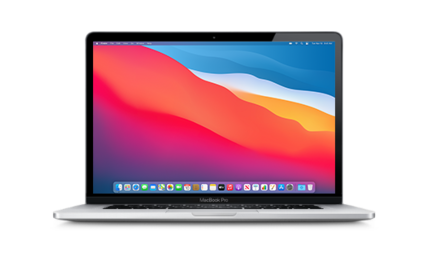
Download macOS 11.3 RC (20E232) for MacBook Pro (13-inch, M1, 2020)
✓ This firmware is signed. This means that you can restore to it in Finder, the Apple Devices app, iTunes, or idevicerestore.
macOS 11.3 RC Release Notes
Please note, the documentation below is supplied from Apple's update servers. We don't modify the contents of this documentation.
macOS Big Sur 11.3 adds support for AirTag, includes iPhone and iPad app improvements for Macs with M1, introduces separate skin tone variations for emoji with couples, and adds more diverse voice options for Siri.
AirTag and Find My- Support for AirTag to keep track of and find your important items like your keys, wallet, backpack, and more, privately and securely in the Find My app
- The Find My network with hundreds of millions of devices can help you find your AirTag, even when it isn’t nearby
- Lost Mode notifies you when your AirTag is found, and you can enter a phone number where you can be contacted
- Option to change an iPhone and iPad app's window size
- Support for displaying the highest resolution version of an iPhone or iPad app in full screen
- Keyboard support for iPhone and iPad games designed to use device tilt
- Keyboard, mouse, and trackpad support for iPhone and iPad games that support game controllers
- Support for separate skin tones for each individual in all variations of the couple kissing emoji and couple with heart emoji
- New face emojis, heart emojis, woman with a beard emoji
- Siri now includes more diverse voice options
- Autoplay keeps music playing by automatically playing a similar song, once you've reached the end of a song or playlist
- City charts showcase what's popular in over 100 cities from all over the world
- Podcasts Show Pages are redesigned to make it easier to start listening
- Option to save and download episodes, automatically adding them to your Library for quick access
- Download behavior and notification settings can be customized on a show-by-show basis
- Top Charts and popular categories in Search help you discover new shows
- Redesigned News+ feed enables Apple News+ subscribers to quickly find, download, and manage magazine and newspaper issues
- All-new Search experience that helps you find relevant topics, channels, and stories
- Start Page section order can now be customized
- Additional WebExtensions API lets developers offer extensions that replace the new tab page
- Web Speech API lets developers incorporate speech recognition into their webpages for real-time captioning, dictation, and voice navigation
- WebM and Vorbis video and audio format support
- Ability to sort Today Smart list
- Support for syncing the order of reminders in lists across your devices
- Option to print your reminder lists
- Xbox Series X|S Wireless Controller or Sony PS5 DualSense Wireless Controller support
- Hibernation support
- About this Mac displays Apple warranty status and AppleCare+ coverage in the Service tab when signed in with Apple ID
- Support for purchasing and enrolling in AppleCare+ for eligible Mac computers from About This Mac
This release also fixes the following issues:
- Reminders created via Siri may be unintentionally set for early morning hours
- iCloud Keychain might not turn off
- AirPods audio routing to incorrect device for Automatic Switching
- AirPods Automatic Switching notifications might be missing or duplicated
- External 4K monitors may not display in full resolution when connected over USB-C
- Login window may not display properly after restarting Mac mini (M1, 2020)
- The Dwell feature may not work in the Accessibility Keyboard
Some features may not be available for all regions or on all Apple devices, and require an Apple ID. For information on the security content of Apple software updates, please visit this website: https://support.apple.com/kb/HT201222
Related IPSW
View all IPSW beta for this Mac| Version | Released | File Size |
|---|---|---|
|
11.3 RC
20E232 |
April 20, 2021 | 13.95 GB |
|
11.3 beta 8
20E5231a |
April 13, 2021 | No filesize available |
|
11.3 beta 7
20E5229a |
April 8, 2021 | No filesize available |
|
11.3 beta 6
20E5224a |
March 31, 2021 | No filesize available |
|
11.3 beta 5
20E5217a |
March 23, 2021 | No filesize available |
|
11.3 beta 4
20E5210c |
March 15, 2021 | No filesize available |
|
11.3 beta 3
20E5196f |
March 2, 2021 | No filesize available |
|
11.3 beta 2 Update
20E5186e |
February 17, 2021 | No filesize available |
|
11.3 beta 2
20E5186d |
February 17, 2021 | 13.94 GB |
|
11.3 beta
20E5172i |
February 2, 2021 | 13.87 GB |

Installation Instructions
Always back up your devive before installing beta software. You can back up your Mac using iCloud, Time Machine, or another storage device.
Prerequisites
- Second Mac: Another Mac of any model using macOS Sonoma 14 or later.
- USB-C Cable: A high-quality USB-C cable to connect the two Macs.
Steps to Restore (and Update)
- Install Apple Configurator on the Second Mac
- Download and install Apple Configurator from the Mac App Store on the second Mac if it’s not already installed.
- Put the Target MacBook into DFU Mode:
- Shut down MacBook Pro (13-inch, M1, 2020) you want to restore.
- Connect it to the second Mac using the USB-C cable.
- Enter DFU (Device Firmware Update) mode.
- In Apple Configurator on the second Mac, your MacBook Pro (13-inch, M1, 2020) should appear as a device in DFU mode.
- Apply the IPSW File:
- Open Apple Configurator on the second Mac.
- Select your MacBook Pro (13-inch, M1, 2020) in DFU mode from the device list.
- Drag UniversalMac_11.3_20E232_Restore.ipsw file onto the device icon in Apple Configurator, or use the menu: Actions > Restore.
- Confirm the action when prompted. This will erase the MacBook and install macOS 11.3 RC.
- Wait for the Process to Complete:
- The restore process will take some time (15-30 minutes or more, depending on the file size and connection speed).
- The MacBook’s screen may show a progress bar or Apple logo during the restore.
- Once complete, your MacBook Pro (13-inch, M1, 2020) will restart automatically.
- Set Up the MacBook:
- After the restore, your MacBook Pro (13-inch, M1, 2020) will boot into the setup assistant.
- You can set it up as new or restore your data from a backup.
Note: Using an IPSW file with Apple Configurator always performs a full restore, erasing all data. There is no option to "update" macOS (preserving data) using an IPSW file directly.