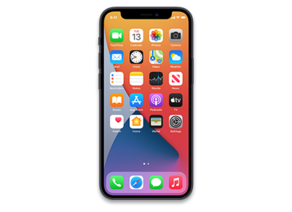
Download iOS 27.2 beta 2 (24B5089g) for iPhone 12 mini
✓ This firmware is signed. This means that you can restore to it in Finder, the Apple Devices app, iTunes, or idevicerestore.
24B5089g
Related IPSW
View all IPSW beta for this iPhone| Version | Released | File Size |
|---|---|---|
|
27.2 beta 3
24B5099f |
October 5, 2026 | 11.20 GB |
|
27.2 beta 2
24B5089g |
September 21, 2026 | 11.13 GB |
|
27.2 beta
24B5084k |
September 16, 2026 | 11.13 GB |

Installation Instructions
Always back up your device before installing beta software. You can back up your iPhone or iPad using iCloud or your computer.
macOS
- Plug your iPhone 12 mini in to your Mac.
- Navigate to your iPhone 12 mini in Finder.
- Hold the Option or Alt key on your keyboard, and click the "Check for Update" button.
- Select the iPhone13,1_27.2_24B5089g_Restore.ipsw file that you downloaded.
- Wait for the restore to complete, and the iPhone 12 mini to reboot.
Windows
- Install the latest version of Apple Devices from the Microsoft Store.
- Plug your iPhone 12 mini in to your PC.
- Open Apple Devices, and navigate to your iPhone 12 mini.
- Hold the Shift key on your keyboard, and click the "Check for Update" button.
- Select the iPhone13,1_27.2_24B5089g_Restore.ipsw file that you downloaded.
- Wait for the update process to complete, and the iPhone 12 mini to reboot.
Linux
- Install idevicerestore.
- Plug your iPhone 12 mini in to your PC.
- Open a terminal, and navigate to the IPSW file that you downloaded, e.g.
cd ~/Downloads - To perform a full erase restore, type
idevicerestore -e iPhone13,1_27.2_24B5089g_Restore.ipswand press enter. - Wait for the restore to complete, and the iPhone 12 mini to reboot.